
Every week, thousands of local businesses lose customers to competitors.
Not because they offer better service. Not because they charge less. They simply show up first on Google.
If you have ever searched for a plumber, roofer, dentist, HVAC company, or electrician near you, you have probably clicked one of the first three results on Google Maps. Most people do.
That is why choosing the best local SEO tools matters.
The right tools help you find problems before they hurt your rankings. They also save time, improve your Google Business Profile, track local rankings, manage citations, and help more nearby customers find your business.
But there is one important thing to remember.
No tool can magically put you at the top of Google.
Think of a local SEO tool like a GPS. It shows you the fastest route, but you still have to drive the car. Your strategy, website, reviews, and customer experience are what get you to the finish line.
To help you make the right choice, we tested popular local SEO tools, reviewed their features, compared pricing, studied real campaigns, and looked at how they perform for different types of local businesses.
Whether you run a single-location business or manage dozens of locations, this guide will help you choose the tool that fits your needs.
TL;DR
- Best Overall: BrightLocal – The best all-around local SEO platform for small businesses, consultants, and agencies.
- Best for Agencies: Semrush Local – Ideal for competitor research, keyword tracking, technical SEO, and managing multiple clients.
- Best for Google Maps Rankings: Local Falcon – Uses geo-grid tracking to show exactly where your business ranks across different neighborhoods.
- Best for Citation Management: Whitespark – Excellent for building, cleaning, and managing business listings across online directories.
- Best for Multi-location Businesses: Moz Local – Keeps your business information accurate across multiple locations with automated listing management.
- Best Free Tool: Google Business Profile – The foundation of every successful local SEO strategy.
- Best Free Research Tool: PlePer – Great for analyzing Google Business Profiles and researching local competitors.
- Best AI-Powered Tool: Localo AI – Helps automate Google Business Profile optimization, review responses, and local SEO tasks.
What Makes a Great Local SEO Tool?
Most software companies promise:
“Better rankings.”
But that statement means very little today.
The best local SEO tools solve real business problems.
For example:
- Citation tools fix incorrect business listings
- Geo-grid trackers show weak ranking areas
- GBP tools improve Google Maps visibility
- Review management tools build trust
- Audit tools find technical SEO problems
- AI-powered tools speed up workflows
The right tool depends on your business type.
A small bakery does not need the same SEO setup as a large law firm with many locations.
That difference matters.
A lot.
How We Evaluated These Local SEO Tools
There are dozens of local SEO platforms available today.
Many promise better rankings, more traffic, and more leads.
Instead of trusting marketing claims, we looked at how these tools perform in real-world situations.
Our Evaluation Criteria
We compared each platform using the same checklist.
We looked at the features that actually help local businesses grow.
Each tool was evaluated based on:
- Google Business Profile management
- Local rank tracking
- Google Maps visibility
- Citation management
- Review management
- Local keyword tracking
- Technical SEO audits
- Reporting quality
- Ease of use
- Automation features
- AI capabilities
- Pricing and value
Real Business Scenarios
Instead of asking, “Which tool has the most features?”
We asked better questions.
Can a plumbing company improve Google Maps rankings?
Can a roofing company find citation errors faster?
Can a dentist manage reviews across multiple locations?
Can an agency produce client reports in minutes?
Those questions matter more than a long list of features.
Our Experience
Over the past several years, we have worked on Local SEO campaigns for home service businesses and service-area companies.
We have seen businesses struggle because of:
- Incorrect business listings
- Weak Google Business Profiles
- Missing reviews
- Slow websites
- Poor local content
- Inconsistent NAP information
We have also seen these same businesses improve after fixing those problems with the right tools.
Should You Start With Free or Paid Local SEO Tools?
If you are new to local SEO, you might wonder whether you really need paid software.
The short answer is no.
You can build a strong foundation using free tools. But as your business grows, paid local SEO tools become a smart investment.
Think about learning to ride a bike.
You do not start with a professional racing bike. You learn the basics first. Once you gain confidence and want to go faster, you upgrade your equipment.
Local SEO works the same way.
Start with Free Tools
Free tools help you understand how your business performs in local search.
For example, Google Business Profile lets you manage your business listing on Google Maps. Google Search Console shows which keywords bring visitors to your website, while Google Analytics 4 (GA4) helps you track traffic and conversions.
These tools are reliable, easy to use, and completely free.
For many new businesses, they are enough to build a solid SEO foundation.
When Paid Tools Make Sense
As your business grows, so do your SEO challenges.
Maybe you want to track rankings in multiple cities.
Maybe you need to manage hundreds of business listings.
Or perhaps you want to see why your competitors rank above you.
Doing all of this manually takes hours every week.
That is where paid local SEO tools make a real difference.
Platforms like BrightLocal, Semrush Local, Local Falcon, and Moz Local automate time-consuming tasks such as citation management, local rank tracking, Google Business Profile reporting, competitor analysis, and review monitoring.
Instead of collecting data from different places, you get everything in one dashboard.
That means less time creating spreadsheets and more time improving your rankings.
Our Recommendation
Do not buy every SEO tool on day one.
Start with free tools to learn the basics and keep your Google Business Profile active.
Once you need deeper insights, better reporting, or automation, invest in a paid platform that matches your goals.
For most small businesses, BrightLocal is an excellent first upgrade because it combines local rank tracking, citation management, review monitoring, and Google Business Profile reporting in one easy-to-use platform.
If you run an agency or compete in a highly competitive market, Semrush Local offers advanced keyword research, competitor analysis, technical SEO, and local marketing tools to help you scale faster.
The best local SEO tools are not the ones with the most features.
They are the ones that solve your biggest problem and help you get more local customers.
Best Local SEO Tools Comparison (2026)
| Feature | BrightLocal | Semrush | Local Falcon | Whitespark | Moz Local |
|---|---|---|---|---|---|
| Best Use Case | SMB + Agencies | Full SEO + Local | Map tracking | Citations | Automation |
| Local Rank Tracking | ⭐⭐⭐⭐⭐ | ⭐⭐⭐⭐ | ⭐⭐⭐⭐⭐ | ⭐⭐ | ⭐ |
| Citation Management | ⭐⭐⭐⭐⭐ | ⭐⭐⭐ | ⭐⭐ | ⭐⭐⭐⭐⭐ | ⭐⭐⭐⭐ |
| Google Business Profile Tools | ⭐⭐⭐⭐ | ⭐⭐⭐⭐ | ⭐⭐ | ⭐⭐ | ⭐⭐⭐ |
| Review Monitoring | ⭐⭐⭐⭐ | ⭐⭐⭐⭐ | ⭐ | ⭐⭐ | ⭐⭐⭐ |
| Ease of Use | Easy | Medium | Easy | Medium | Very Easy |
| AI/Automation Features | Medium | High | Low | Low | High |
| Best Strength | All-in-one local SEO | Data depth | Geo-grid accuracy | Citation authority | Automated listings |
1. BrightLocal Review: Best Local SEO Tool for Small Businesses
If you own a local business, BrightLocal is one of the easiest tools to start with.
It keeps everything in one place, so you spend less time jumping between different platforms and more time growing your business.
Whether you are a plumber, electrician, dentist, roofer, lawyer, or HVAC contractor, BrightLocal helps you understand what is working, what is broken, and what to fix next.
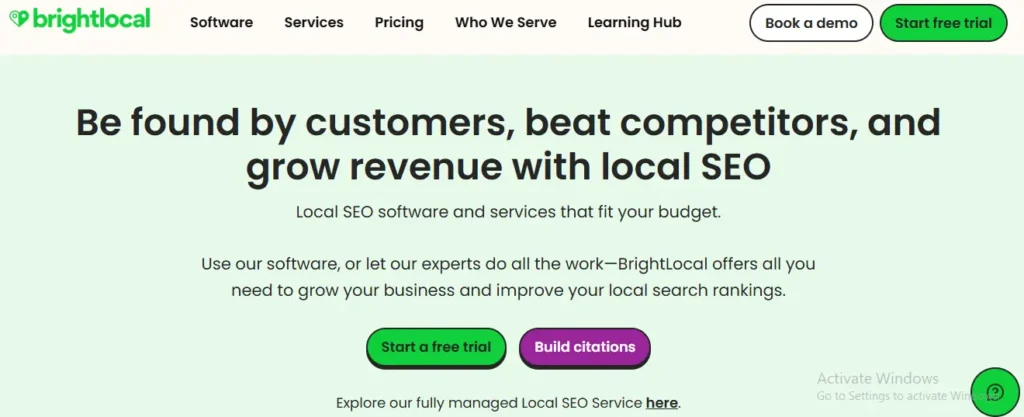
What Is BrightLocal?
BrightLocal is an all-in-one local SEO platform built specifically for businesses that want to improve their visibility in Google Search and Google Maps.
Instead of trying to do everything, it focuses on the areas that matter most for local rankings.
These include:
- Local rank tracking
- Google Business Profile reporting
- Citation audits
- Citation building
- Online review management
- Local SEO audits
- Competitor tracking
- White-label reports
Think of BrightLocal as a health check-up for your local SEO.
It quickly finds the problems that are stopping your business from getting more calls.
Why BrightLocal Stands Out
Many SEO tools have hundreds of features.
That sounds great until you actually try to use them.
BrightLocal keeps things simple.
The dashboard is clean.
The reports are easy to understand.
You do not need to be an SEO expert to know what needs attention.
Instead of showing endless charts, it gives practical recommendations.
For example, it may tell you:
- Your phone number is different on Yelp.
- You have duplicate business listings.
- Your Google Business Profile is missing updates.
- Your competitors have more reviews.
- Your rankings dropped in one neighborhood.
That kind of information saves hours of manual work.
Our Experience
During one local SEO campaign for a home service business, we discovered that the company had changed its phone number after rebranding.
Unfortunately, many online directories still showed the old number.
BrightLocal’s Citation Tracker found those incorrect listings within minutes.
After updating the business information across major directories, local rankings became more consistent over the following weeks, and Google Business Profile interactions increased.
Instead of guessing where the problem was, BrightLocal pointed directly to it.
Best Features
BrightLocal includes tools that most local businesses actually use every week.
- Local Rank Tracking: Track how your business ranks for keywords in different cities and neighborhoods. This is much more useful than seeing one average ranking.
- Citation Audit: Find incorrect business listings before they confuse customers or search engines.
- Google Business Profile Reporting: Monitor views, calls, website clicks, and direction requests from one dashboard.
- Review Management: Track customer reviews across different websites and respond faster.
- Local SEO Audit: Scan your website for technical issues that may reduce local visibility.
Best For
BrightLocal is a great choice for:
- Small businesses
- Local SEO consultants
- Marketing freelancers
- Home service businesses
- Multi-location businesses
- Small and medium-sized agencies
Pros
- Beginner-friendly dashboard
- Excellent citation management
- Accurate local rank tracking
- Strong Google Business Profile reports
- Affordable pricing
- Easy white-label reporting
Cons
- Fewer advanced technical SEO features than Semrush
- Dashboard design could feel more modern
Pricing
BrightLocal offers several plans depending on your business size.
Most small businesses can start with an entry-level subscription and upgrade as they grow.
Always check the official website for current pricing.
Bottom Line
If you only invest in one dedicated local SEO platform, BrightLocal is the easiest recommendation for most small businesses.
It focuses on the tasks that directly improve local rankings instead of overwhelming you with features you may never use.
Semrush Local Review: Best Local SEO Tool for Agencies and Competitive Markets
If BrightLocal is like a family car, Semrush is like a fully equipped workshop.
It has more tools, more reports, and more data than most businesses will ever need.
That is exactly why agencies and larger companies love it.
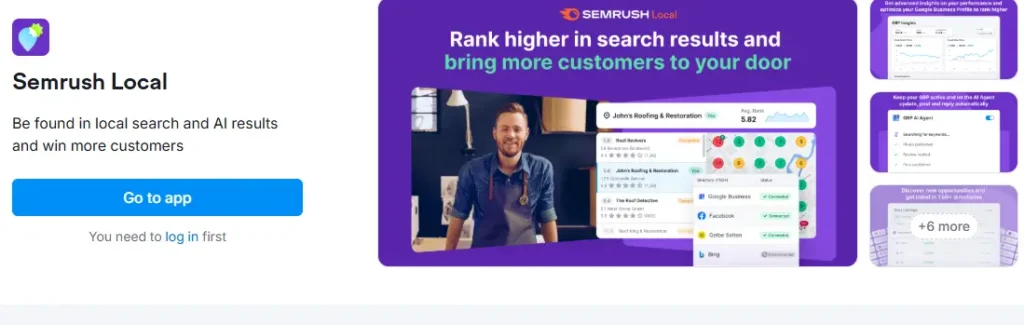
What Is Semrush Local?
Semrush Local is part of the larger Semrush platform.
It combines local SEO with technical SEO, keyword research, backlink analysis, competitor research, content optimization, and position tracking.
Instead of managing multiple subscriptions, many agencies run everything inside Semrush.
Why Semrush Stands Out
The biggest strength of Semrush is its data.
Imagine owning a roofing company.
You know your competitors rank above you.
But why?
Semrush helps answer questions like:
- Which keywords are they ranking for?
- Which backlinks do they have?
- Which service pages get the most traffic?
- Which cities are bringing them leads?
- Which pages are growing the fastest?
Instead of guessing, you can build your strategy using real search data.
Our Experience
During competitor research for a local service business, Semrush revealed that nearby competitors were receiving significant traffic from neighborhood-specific search terms.
Instead of creating more general service pages, we focused on building detailed location pages around those neighborhoods.
Over the next few months, those pages began attracting qualified local traffic and generated additional enquiries.
The biggest lesson was simple.
The opportunity was already there.
We just needed the right data to find it.
Best Features
Semrush offers one of the largest collections of SEO tools available today.
- Local Keyword Research: Find keywords your customers actually search before calling a local business.
- Competitor Analysis: See what your competitors are doing better and where opportunities exist.
- Technical SEO Audit: Identify crawl issues, broken links, duplicate pages, slow loading times, and indexing problems.
- Backlink Analysis: Discover who links to your competitors and identify new link-building opportunities.
- Position Tracking: Track rankings for local keywords across different cities and devices.
- Local Listing Management: Manage business information across multiple directories from one platform.
Best For
Semrush is ideal for:
- SEO agencies
- Marketing teams
- Enterprise businesses
- Multi-location companies
- Competitive industries
- Large local businesses
Pros
- Massive keyword database
- Excellent competitor research
- Strong technical SEO tools
- Complete SEO platform
- Detailed reporting
- Frequent updates
Cons
- Higher learning curve
- More expensive than many local SEO tools
- Some features may be unnecessary for very small businesses
Pricing
Semrush is one of the more expensive platforms.
However, businesses that actively use keyword research, competitor analysis, technical SEO, and local SEO often find that it replaces several other subscriptions.
Always check the official website for current pricing.
Local Falcon Review: Best Local SEO Tool for Google Maps Rankings
Have you ever searched for a business from two different places and noticed different results?
That happens because Google Maps rankings change by location. A business may rank #1 near its office but disappear just a few miles away.
That is exactly the problem Local Falcon solves.
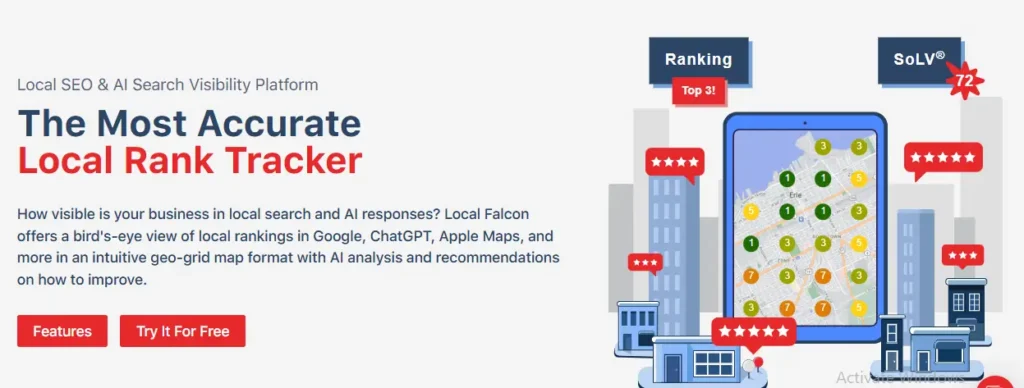
What Is Local Falcon?
Local Falcon is a local SEO tool that tracks Google Maps rankings using geo-grid technology.
Instead of showing one average ranking, it shows how your business performs across dozens or even hundreds of locations on a map.
Think of it like checking the weather.
A weather app does not tell you the temperature for the whole country. It tells you what it is like where you are standing.
Local Falcon works the same way for Google Maps rankings.
Why Local Falcon Stands Out
Many rank trackers say you rank #3 for a keyword.
But where?
Across the entire city?
Downtown?
The suburbs?
Near your office?
Those answers matter.
Local Falcon shows your visibility block by block, helping you find neighborhoods where customers cannot easily find your business.
Instead of guessing where to improve, you know exactly where to focus.
Our Experience
During a Local SEO campaign for a plumbing company, average rankings looked healthy.
But the business owner still was not getting enough calls from nearby neighborhoods.
Using Local Falcon, we found the problem.
The company ranked well within two miles of its office but dropped sharply in surrounding service areas.
After creating neighborhood-specific service pages, improving internal linking, and strengthening the Google Business Profile, visibility gradually expanded into those nearby areas over the following months.
Without the geo-grid report, we would never have seen the issue.
Best Features
Local Falcon focuses on one job, and it does it extremely well.
- Geo-Grid Rank Tracking: See exactly where your business appears in Google Maps. Every point on the grid represents a real search location.
- Google Business Profile Monitoring: Measure how changes to your Google Business Profile affect local visibility.
- Competitor Comparison: Compare your map visibility with nearby competitors and find the areas where they are outranking you.
- Historical Tracking: Track improvements over time instead of relying on one report. This helps measure whether your SEO work is paying off.
Best For
Local Falcon is ideal for:
- Service-area businesses
- Local SEO agencies
- Multi-location businesses
- Home service companies
- Google Business Profile optimization
- Google Maps SEO
Pros
- Outstanding Google Maps tracking
- Easy-to-read heatmaps
- Accurate neighborhood rankings
- Excellent competitor comparisons
- Great visual reports
Cons
- Focuses mainly on Google Maps
- Does not replace a complete SEO platform
- Limited technical SEO features
Pricing
Local Falcon offers flexible pricing based on scan credits.
Small businesses can start with a basic plan and increase usage as they grow.
Always check the official website for current pricing.
Bottom Line
If your business depends on Google Maps, Local Falcon is one of the most valuable local SEO tools available.
It helps you see ranking opportunities that traditional rank trackers completely miss.
Whitespark Review: Best Local SEO Tool for Citation Management
Imagine moving to a new office but forgetting to update your address online.
Google sees one address.
Yelp shows another.
Facebook has something different.
Customers become confused.
Search engines lose confidence.
That is where Whitespark shines.
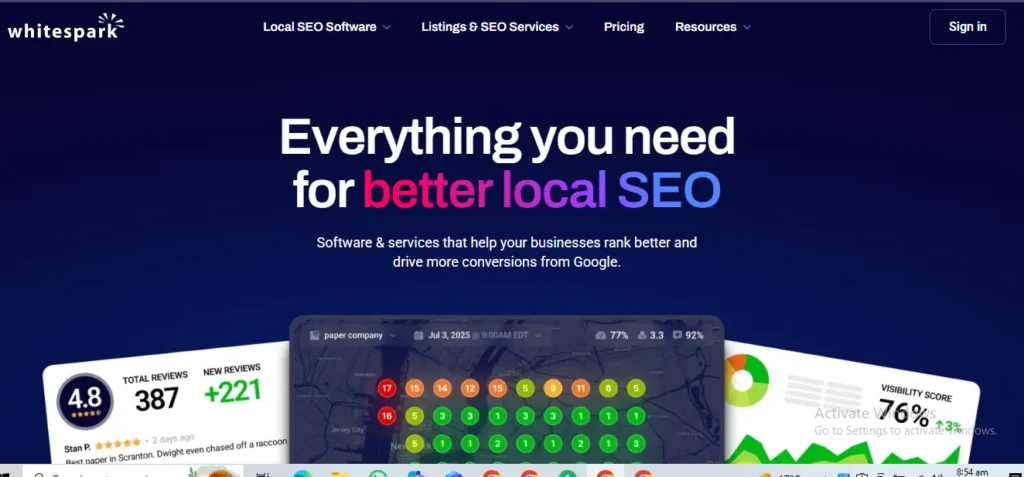
What Is Whitespark?
Whitespark is a local SEO platform that specializes in citation building, citation cleanup, reputation management, and local search optimization.
It helps businesses keep their Name, Address, and Phone Number (NAP) consistent across the web.
That consistency builds trust with both customers and search engines.
Why Whitespark Stands Out
Citation management may not sound exciting.
But it is one of the foundations of local SEO.
Imagine trying to deliver a package to someone whose address appears differently on five websites.
You would not know which one is correct.
Google faces the same challenge.
Whitespark helps solve that problem.
It finds incorrect listings, duplicate profiles, and outdated business information before they hurt your rankings.
Our Experience
One local business changed its phone number after rebranding.
Unfortunately, dozens of online directories still displayed the old number.
Customers called the wrong number, and Google found conflicting information across multiple websites.
Using Whitespark, we identified the inconsistent listings and updated them across major directories.
Over the next several weeks, the business information became consistent, and local search visibility stabilized.
The cleanup also reduced customer confusion.
Best Features
Whitespark focuses on building trust through accurate business information.
- Citation Finder: Discover where your business is listed online. Identify missing, duplicate, or incorrect listings.
- Citation Building Service: Submit accurate business information to trusted local directories.
- Reputation Builder: Collect more customer reviews from happy clients. Positive reviews improve trust and local visibility.
- Local Rank Tracker: Track keyword rankings across specific locations. Measure progress after citation cleanup.
Best For
Whitespark works especially well for:
- New businesses
- Local businesses
- Franchises
- Businesses that recently moved
- Rebranding projects
- Citation cleanup campaigns
Pros
- Excellent citation management
- Accurate business listings
- Strong reputation management
- Trusted by many local SEO professionals
- Easy to understand
Cons
- Fewer technical SEO tools
- Limited keyword research features
- Best used alongside another SEO platform
Pricing
Whitespark offers different pricing for citation services, local rank tracking, and reputation management.
Choose the plan that matches your business needs and always verify current pricing on the official website.
Bottom Line
If incorrect business information is hurting your local rankings, Whitespark is one of the best local SEO tools you can buy.
It helps build trust with search engines, improves citation consistency, and supports stronger Google Business Profile performance.
Moz Local Review: Best Local SEO Tool for Multi-Location Businesses
Managing one business location is challenging enough.
Now imagine keeping the same business information updated across 20, 50, or even 200 locations.
Doing that by hand would take days.
That is why many franchises and growing businesses choose Moz Local.
What Is Moz Local?
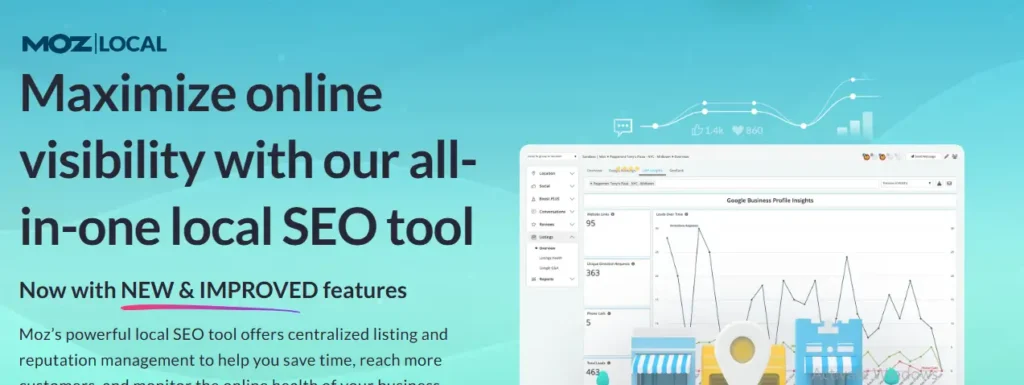
Moz Local is a local SEO platform that helps businesses manage their listings across online directories from one dashboard.
Instead of updating your business information one website at a time, you make the change once.
Moz Local distributes the updated information across trusted directories automatically.
Think of it like changing your address with the post office.
You update it once, and everyone gets the new information.
Why Moz Local Stands Out
One incorrect phone number can cost a customer.
Imagine someone trying to call your business but reaching an old number instead.
That happens more often than many business owners realize.
Moz Local helps prevent these problems by keeping your Name, Address, and Phone Number (NAP) consistent across the web.
It also monitors duplicate listings and alerts you when your business information changes.
Our Experience
During a Local SEO project for a service-area business, we found several old directory listings from before the company moved offices.
Customers were visiting the wrong address.
Using Moz Local, we identified outdated listings and updated the business information across multiple directories.
Within a few weeks, customer complaints about incorrect directions stopped, and the Google Business Profile displayed more consistent information across the web.
Best Features
Moz Local focuses on keeping your business information accurate and consistent.
- Automatic Listing Distribution: Update your business information once and sync it across major online directories.
- Duplicate Listing Detection: Find duplicate business listings before they confuse customers or search engines.
- Review Monitoring: Track customer reviews from multiple platforms in one place. Respond quickly to build trust.
- Listing Health Reports: See where your business information is complete, missing, or inconsistent.
Best For
Moz Local works especially well for:
- Multi-location businesses
- Franchises
- Healthcare providers
- Retail stores
- Restaurants
- Growing local businesses
Pros
- Easy to use
- Saves hours of manual updates
- Strong directory coverage
- Helpful listing health reports
- Great for franchises
Cons
- Limited technical SEO features
- Less competitor research than Semrush
- Not designed for advanced keyword research
Pricing
Moz Local offers several plans based on the number of business locations.
Check the official website for the latest pricing and supported directories.
Bottom Line
If you manage multiple locations, Moz Local can save countless hours while improving business listing accuracy and local search visibility.
6. Localo AI Review: Best AI-Powered Local SEO Tool
Running a business takes time.
Writing Google Business Profile posts, replying to reviews, and checking rankings every day can quickly become overwhelming.
That is where Localo AI can help.
What Is Localo AI?
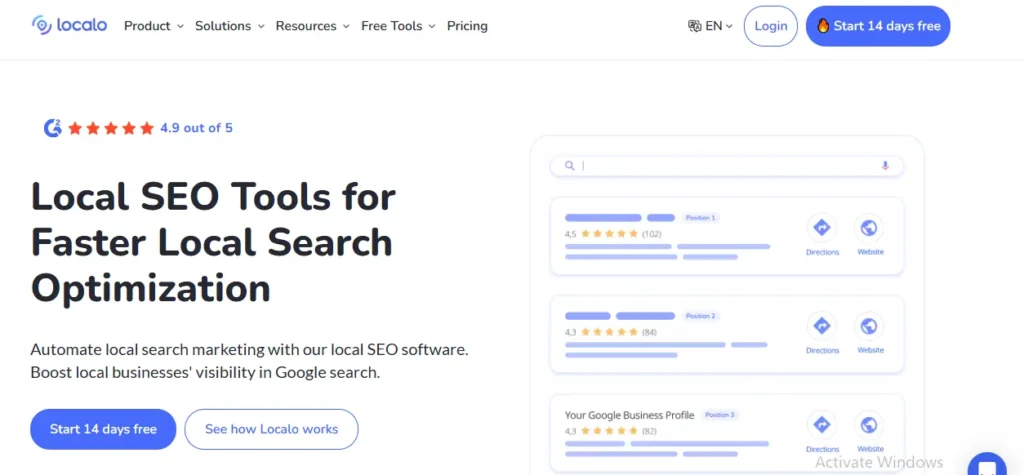
Localo AI is a local SEO platform designed to simplify Google Business Profile optimization.
It combines automation, visibility tracking, review assistance, and optimization suggestions into one easy-to-use dashboard.
Instead of replacing your marketing strategy, it helps you complete repetitive tasks faster.
Why Localo AI Stands Out
Many AI-powered SEO tools try to do everything.
Localo AI stays focused on local businesses.
It helps generate ideas for Google Business Profile posts, recommends profile improvements, tracks visibility, and assists with review responses.
Think of it as a helpful assistant rather than a replacement for your marketing.
Human review is still important.
Our Experience
For one local business, keeping the Google Business Profile active was difficult because the owner had little time.
Using Localo AI, we planned regular profile updates, generated post ideas, and organized review responses.
The business maintained a more active profile without increasing the owner’s workload.
The biggest benefit was consistency.
Best Features
Localo AI focuses on practical local SEO automation.
- Google Business Profile Optimization: Receive suggestions for improving profile completeness and visibility.
- AI Content Suggestions: Generate ideas for Google Business Profile posts and updates.
- Visibility Tracking: Monitor local search performance over time.
- Review Response Assistance: Draft responses to customer reviews that you can personalize before publishing.
Best For
Localo AI is a great choice for:
- Busy business owners
- Small businesses
- Marketing teams
- Google Business Profile management
- Businesses with limited time
Pros
- Beginner-friendly
- Saves time
- Helpful optimization suggestions
- Easy Google Business Profile management
- Regular visibility tracking
Cons
- AI suggestions still require human review
- Limited technical SEO tools
- Not a replacement for a complete SEO platform
Pricing
Localo AI offers different plans depending on your business needs.
Visit the official website for the latest pricing and available features.
Bottom Line
If staying active on your Google Business Profile feels difficult, Localo AI makes the process much easier while helping you maintain consistent local SEO efforts.
Comparisons Between Local SEO Tools
Each local SEO tool has different strengths. Compare them to find the one that fits your needs.
BrightLocal vs Semrush Local
Choosing between these two tools depends on your business.
| Feature | BrightLocal | Semrush Local |
|---|---|---|
| Best For | Small businesses | Agencies and enterprise |
| Ease of Use | Excellent | Moderate |
| Local Rank Tracking | Excellent | Excellent |
| Citation Management | Excellent | Very Good |
| Google Business Profile Reporting | Excellent | Very Good |
| Competitor Research | Good | Excellent |
| Technical SEO | Basic | Advanced |
| Keyword Research | Limited | Excellent |
| Backlink Analysis | No | Yes |
| White-label Reports | Yes | Yes |
| Value for Small Businesses | Excellent | Good |
Which Tool Should You Choose?
Choose BrightLocal if your main goal is improving local rankings, managing citations, tracking Google Maps visibility, and monitoring reviews.
Choose Semrush Local if you also need keyword research, backlink analysis, technical SEO, content planning, and detailed competitor insights.
Many agencies actually use both.
BrightLocal handles local SEO tasks.
Semrush provides the broader SEO intelligence.
Together, they create one of the strongest local SEO workflows available today.
Local Falcon vs Whitespark
Both tools improve local SEO, but they solve different problems.
| Feature | Local Falcon | Whitespark |
|---|---|---|
| Best For | Google Maps rankings | Citation management |
| Primary Focus | Geo-grid tracking | Business listings |
| Google Business Profile | Excellent | Very Good |
| Citation Cleanup | No | Excellent |
| Local Rank Tracking | Excellent | Good |
| Review Management | No | Yes |
| Competitor Analysis | Excellent | Limited |
| Technical SEO | No | No |
| Ease of Use | Excellent | Excellent |
| Best Users | Agencies and service businesses | Local businesses and franchises |
Which Tool Should You Choose?
Choose Local Falcon if your biggest challenge is Google Maps visibility.
It helps you discover exactly where your rankings are strong and where they need improvement.
Choose Whitespark if your business information is inconsistent across the web.
It keeps your Name, Address, and Phone Number accurate, helping search engines trust your business.
Many Local SEO professionals use both tools together.
Local Falcon tells you where you are losing visibility.
Whitespark helps fix one of the reasons why.
Moz Local vs Localo AI
Both tools help improve local SEO, but they solve different problems.
Choose the one that matches your business needs.
| Feature | Moz Local | Localo AI |
|---|---|---|
| Best For | Multi-location businesses | Google Business Profile automation |
| Price | Paid | Paid |
| Google Business Profile Insights | Very Good | Excellent |
| Citation Management | Excellent | No |
| Listing Distribution | Excellent | No |
| Review Monitoring | Yes | Yes |
| AI Features | No | Yes |
| Competitor Research | Good | Good |
| Ease of Use | Excellent | Excellent |
Which Tool Should You Choose?
If you manage multiple business locations, choose Moz Local.
It automatically keeps your business information accurate across online directories, helping customers and search engines find the correct details.
If your biggest challenge is keeping your Google Business Profile active, choose Localo AI.
It helps you create Google Business Profile posts, organize revi
Common Local SEO Mistakes Businesses Still Make
Many businesses buy expensive SEO software expecting instant results.
Unfortunately, software alone cannot fix poor marketing.
The biggest improvements usually come from fixing simple problems consistently.
Let’s look at the mistakes we see most often.
Mistake #1: Depending on Software Instead of Strategy
A hammer does not build a house.
A chef’s knife does not cook dinner.
In the same way, even the best local SEO tool cannot replace a smart strategy.
Software helps you find problems.
You still have to fix them.
Many businesses buy premium SEO tools but never:
- Improve their website
- Create helpful content
- Ask customers for reviews
- Optimize their Google Business Profile
- Build local trust
The result?
Very little changes.
Better Approach
Use tools to support your strategy, not replace it.
Focus on solving customer problems first.
The rankings usually follow.
Mistake #2: Ignoring Google Business Profile
Many business owners spend thousands improving their website.
Then they ignore the one thing customers see first.
Their Google Business Profile.
An incomplete profile can hurt local visibility even if your website is excellent.
Make time every week to:
- Upload fresh photos
- Reply to customer reviews
- Publish updates
- Answer customer questions
- Check business hours
- Add new services
Small updates create stronger trust signals over time.
Real Example
Imagine two plumbing companies.
Both have similar websites.
One updates its Google Business Profile every week.
The other has not touched it in six months.
Which one looks more trustworthy?
Most customers choose the active business.
Google often notices that activity too.
Mistake #3: Tracking Only Average Rankings
Many SEO reports say,
“You rank #4.”
But where?
Across the whole city?
Near your office?
Five miles away?
Local rankings change depending on where someone searches.
That is why tools like Local Falcon are valuable.
They show exactly where your visibility is strong and where it needs improvement.
Better Approach
Track neighborhood-level rankings instead of relying on city-wide averages.
That gives a much clearer picture of your local visibility.
Mistake #4: Ignoring Customer Reviews
Reviews are more than social proof.
They influence buying decisions.
Imagine two electricians.
One has 18 reviews.
The other has 420 reviews with recent replies.
Most customers already know which one they trust.
Ask satisfied customers for honest reviews.
Then respond to every review, whether it is positive or negative.
People notice.
Google does too.
Mistake #5: Inconsistent Business Information
Your business should have the same:
- Name
- Address
- Phone number
- Website
Everywhere online.
Even small differences can confuse search engines.
For example:
Website
ABC Plumbing LLC
ABC Plumbing
Yelp
ABC Plumbing Services
Those differences seem small.
But they weaken trust.
Tools like Whitespark and Moz Local help keep everything consistent.
Mistake #6: Forgetting About Mobile Users
Most local searches happen on mobile devices.
If your website loads slowly or is difficult to use, people leave.
A fast, mobile-friendly website creates a much better first impression.
Check your website regularly using Google PageSpeed Insights.
Mistake #7: Trying to Do Everything at Once
Some business owners buy five SEO tools.
Then they use none of them properly.
That usually leads to frustration.
Start with one tool.
Learn it well.
Then add another only when you actually need it.
A simple system used consistently almost always beats a complicated system that nobody understands.
Key Takeaways
Local SEO success does not come from owning the most expensive software.
It comes from using the right tools consistently.
Start with free tools.
Build strong fundamentals.
Upgrade only when your business outgrows them.
That approach saves money, reduces confusion, and creates long-term local search growth.
Which Local SEO Tool Should You Choose?
Choosing the right local SEO tool does not have to be confusing.
The best choice depends on your business, your budget, and the problems you want to solve first.
Think about what is slowing your growth today.
Is it poor Google Maps rankings?
Inconsistent business listings?
Weak competitor research?
Or simply not enough time to manage everything?
Use this guide to find the right fit.
Best for Small Local Businesses
If you own a single-location business, keep your toolkit simple.
You do not need expensive enterprise software to rank higher.
Recommended tools:
- Google Business Profile
- Google Search Console
- Google Analytics 4 (GA4)
- Google PageSpeed Insights
- BrightLocal
This combination helps you improve your Google Business Profile, track website performance, monitor local rankings, and find SEO issues without overspending.
Best for SEO Agencies
Agencies need more than basic reporting.
They need competitor research, automation, client reporting, and scalable workflows.
Recommended tools:
- Semrush Local
- BrightLocal
- Local Falcon
Together, these tools help agencies manage multiple clients, monitor Google Maps rankings, create professional reports, and uncover new keyword opportunities.
Best for Google Maps Rankings
If your business relies on local customers finding you in Google Maps, tracking neighborhood-level rankings is essential.
Recommended tools:
- Local Falcon
- BrightLocal
Local Falcon shows exactly where your visibility is strong and where it needs improvement.
BrightLocal helps monitor your overall local SEO performance.
Best for Citation Management
Incorrect business information can confuse both customers and search engines.
If your business has changed its name, address, or phone number, citation cleanup should be your priority.
Recommended tools:
- Whitespark
- Moz Local
These tools help keep your Name, Address, and Phone Number (NAP) consistent across trusted online directories.
Best for Multi-Location Businesses
Managing dozens of business locations manually is time-consuming.
Automation makes the process much easier.
Recommended tools:
- Moz Local
- Semrush Local
They help manage listings, monitor local rankings, and keep business information accurate across multiple locations.
Best Free Local SEO Setup
If you are just starting, you do not need paid software immediately.
Begin with these free tools.
- Google Business Profile
- Google Search Console
- Google Analytics 4 (GA4)
- Google PageSpeed Insights
- PlePer
Many successful local businesses grow using only these tools before upgrading.
Best AI-Powered Local SEO Tool
If your biggest challenge is finding time to keep your Google Business Profile active, automation can help.
Recommended tool:
- Localo AI
It helps generate profile updates, organize review responses, and monitor local visibility while still allowing you to personalize everything before publishing.
Conclusion
The best local SEO tools do not guarantee higher rankings.
They help you make better decisions.
Think of them as a toolbox.
A toolbox does not build a house by itself.
But with the right tools and a clear plan, building becomes much easier.
Start with the basics.
Create a complete Google Business Profile.
Monitor your website with Google Search Console and Google Analytics 4.
Improve your website speed with Google PageSpeed Insights.
Then invest in paid tools only when your business truly needs them.
Whether you choose BrightLocal, Semrush Local, Local Falcon, Whitespark, Moz Local, PlePer, or Localo AI, remember one thing.
Consistency beats complexity.
Businesses that regularly update their profiles, fix citation errors, earn customer reviews, publish helpful content, and monitor their performance almost always outperform businesses that rely on shortcuts.
Local SEO is not about finding a magic tool.
It is about building trust with both Google and your customers.
Do that consistently, and the rankings usually follow.
Ready to Grow Your Local Business?
Getting found on Google is no longer optional.
It is one of the biggest drivers of calls, leads, and new customers for local businesses.
If you want to improve your Google Business Profile, rank higher in Google Maps, fix citation issues, or build a long-term local SEO strategy, we are here to help.
Our Local SEO specialists create customized strategies for home service businesses, healthcare providers, legal firms, contractors, restaurants, and other local companies that want sustainable growth.
Whether you need a complete Local SEO campaign or expert guidance on choosing the right tools, we will help you focus on what brings real business results.
Ready to get more local customers?
Contact Milestoneage Online today for a free Local SEO audit and discover the opportunities your competitors are already using.