


An SEO report shows what is happening with your website in search and what should happen next. If you work with a plumber in Texas, an HVAC company in Florida, or a cleaning company in Dubai, a good report should make the numbers easy to understand.
If you’re wondering how to create an SEO report that clients can actually use, start with the business goals, not a long list of metrics. The goal is simple: understand whether SEO is helping the business get found, attract the right visitors, and generate customers.
A useful SEO report should tell a clear story. What improved? What changed? What needs attention? And what should happen next?
What Is an SEO Report?
An SEO report is a document that explains how a website is performing in search engines and what actions can improve its results.
A useful SEO report connects SEO work to business outcomes. It can include organic traffic, keyword rankings, search impressions, clicks, click-through rate, technical SEO issues, backlinks, local SEO performance, leads, calls, and conversions.
Think of it like a car dashboard.
You do not need to know how every engine part works to drive the car. You need to know your speed, fuel level, warning lights, and whether you are moving toward your destination.
An SEO report works the same way.
Why Do You Need an SEO Report?
An SEO report helps business owners see whether SEO work is producing useful results.
It also gives marketers a simple way to track progress, spot problems, and decide what to work on next.
SEO Reports Help Explain Progress
Imagine a plumbing company in Dallas.
Last month, its website received 1,200 organic visits. This month, it received 1,500.
That is useful.
But the real question is what happened after those visitors arrived.
Did they:
- Call the plumber?
- Submit a quote request?
- Book an inspection?
- Read one page and leave?
- Visit the wrong service page?
- Find the company through a local search?
A strong SEO report answers these questions.
SEO Reports Help Clients Understand Your Work
SEO can feel invisible.
A client may know that pages were optimized, new content was published, citations were cleaned up, and technical issues were fixed. But they may not know how those tasks affected the website.
The report connects the work to measurable outcomes.
For example:
“We created a dedicated water heater repair page for Phoenix and improved its internal links. The page began receiving organic impressions and generated three quote requests.”
That is much easier to understand than:
“We completed on-page SEO.”
What Should an SEO Report Include?
An SEO report should include the metrics that match the website’s goals.
The exact sections can change, but most reports should include the following areas.
| SEO Report Section | What to Show | Why It Matters |
|---|---|---|
| Executive summary | Main wins and problems | Gives a quick overview |
| Organic traffic | Users, sessions, landing pages | Shows search traffic |
| Search performance | Clicks, impressions, CTR, position | Shows Google visibility |
| Keywords | Rankings and changes | Shows search visibility |
| Conversions | Leads, calls, forms | Connects SEO to business |
| Local SEO | Maps, calls, website clicks | Important for local businesses |
| Technical SEO | Errors and improvements | Helps search engines crawl the site |
| Content | New and top-performing pages | Shows content impact |
| Backlinks | New and lost links | Measures authority signals |
| Competitors | Visibility and keyword gaps | Finds opportunities |
| Recommendations | Next actions | Turns data into a plan |
You do not need to include every metric available in every report.
More data does not automatically mean a better report.

How to Create an SEO Report Step by Step
Creating an SEO report becomes much easier when you follow the same process every month.
Start with the business goal, collect the right data, compare time periods, explain the results, and finish with actions.
Step 1: Define the SEO Goals
Start by asking what the business actually wants.
A local service company usually wants more customers, not more website visitors for their own sake.
For example, a U.S. HVAC company may want:
- More AC repair calls
- More furnace installation leads
- More emergency service requests
- Better rankings in nearby cities
A Dubai cleaning company may want:
- More villa cleaning bookings
- More apartment cleaning leads
- More Google Maps visibility
- More searches for “cleaning company Dubai”
- More calls from mobile users
Write these goals before looking at the numbers.
This prevents the report from becoming a collection of random statistics.
Step 2: Choose the Reporting Period
Most SEO reports compare two periods.
For example:
Current period: August 1 to August 31
Previous period: July 1 to July 31
You can also compare:
- Month over month
- Quarter over quarter
- Year over year
- Same month last year
- Before and after a major SEO change
Year-over-year comparisons can be especially useful for seasonal businesses.
A U.S. air-conditioning company may naturally receive more searches during hot months. Comparing July with June may tell a different story than comparing July this year with July last year.
Step 3: Collect Google Search Console Data
Google Search Console is one of the most important sources for an SEO report.
Its Performance report provides clicks, impressions, CTR, and average position, along with dimensions such as queries, pages, countries, devices, and dates.
Look at:
- Total clicks
- Total impressions
- Average CTR
- Average position
- Top queries
- Top pages
- Country
- Device
- Search appearance
What Do These Metrics Mean?
Clicks: How many times users clicked the website from Google Search.
Impressions: How many times pages from the site appeared in Google Search results.
CTR: The percentage of impressions that resulted in clicks.
Average position: The average position reported for the site’s results for the selected data.
Google defines CTR as clicks divided by impressions.
For example:
| Metric | Last Month | This Month | Change |
|---|---|---|---|
| Clicks | 2,100 | 2,550 | +21% |
| Impressions | 48,000 | 57,000 | +19% |
| CTR | 4.4% | 4.5% | +0.1 pp |
| Average position | 14.2 | 11.8 | Improved |
Do not simply paste this table into a report.
Explain it.
For example:
Search visibility improved this month. Impressions increased 19%, while clicks increased 21%. Average position also improved, suggesting that more pages are appearing higher for relevant searches.
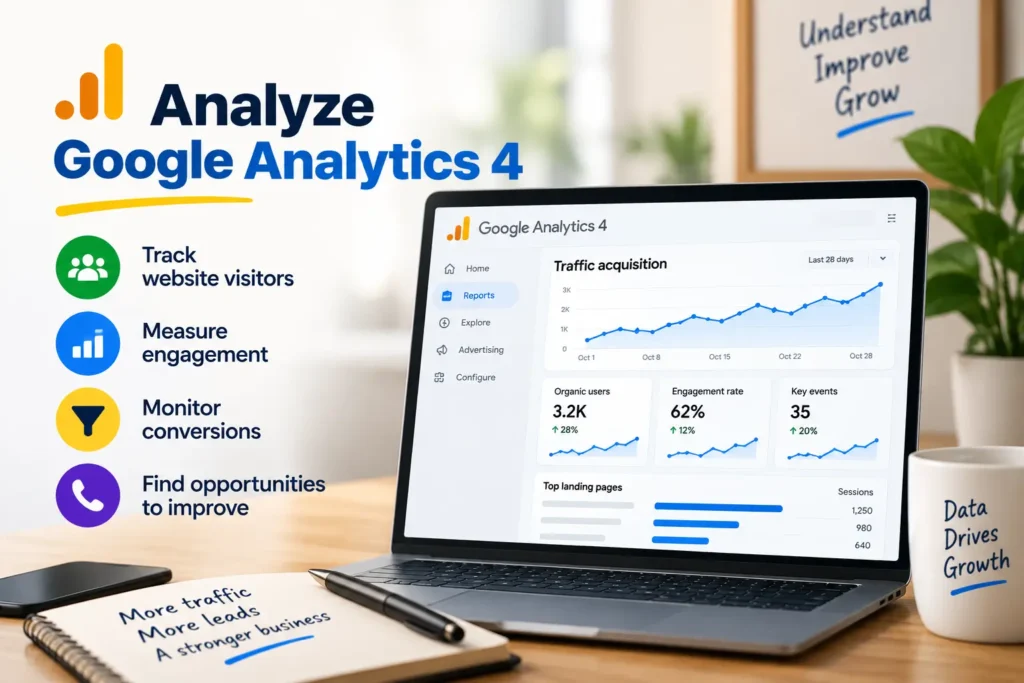
Step 4: Analyze Google Analytics 4
Google Analytics 4 helps you understand what happens after people reach the website.
Its Traffic acquisition report shows where users come from, including Organic Search, and lets you analyze traffic sources and engagement.
Look at:
- Organic users
- Organic sessions
- Engagement
- Landing pages
- Key events
- Leads
- Form submissions
- Phone-click events
- Booking events
- Revenue, where applicable
For example, a Miami plumbing company may have 3,000 organic visitors but only 35 quote requests.
A good report should not hide that fact.
It should investigate the gap.
Maybe the visitors are landing on informational blog posts instead of service pages. Maybe the call-to-action is weak. Maybe mobile users cannot find the phone number.
The report should help identify the next question.
Step 5: Connect Google Search Console and GA4
Search Console tells you about search performance.
GA4 tells you more about what happens after the visitor arrives.
Connecting the two gives you a clearer view of organic search performance and landing-page behavior. Google provides reports that combine Search Console and Analytics data, including organic clicks, impressions, CTR, average position, active users, and landing pages.
This is especially helpful when reporting to business owners.
Instead of saying:
“This keyword moved from position 12 to position 7.”
You can say:
“The service page moved into stronger search visibility and brought more organic visitors. We are now tracking whether those visitors turn into quote requests.”
That is a business-focused SEO report.
Step 6: Report Keyword Rankings
Keyword rankings are useful, but they should not be the entire SEO report.
Track keywords that match real customer searches.
For a U.S. roofing company, examples might include:
- roofing company Dallas
- roof repair Dallas
- emergency roof repair Dallas
- roof replacement near me
- commercial roofing Dallas
- storm damage roof repair
For a Dubai pest control company:
- pest control Dubai
- pest control company Dubai
- bed bug treatment Dubai
- cockroach control Dubai
- termite control Dubai
- pest control near me
Group keywords by search intent.
| Keyword Type | Example | Intent |
|---|---|---|
| Service | AC repair Miami | Ready to hire |
| Emergency | emergency plumber Houston | High urgency |
| Local | plumber near me | Local service |
| Informational | how much does AC repair cost | Research |
| Commercial | best HVAC company Miami | Comparison |
| Problem-based | water heater leaking | Problem solving |
This gives the client more context than a simple ranking list.
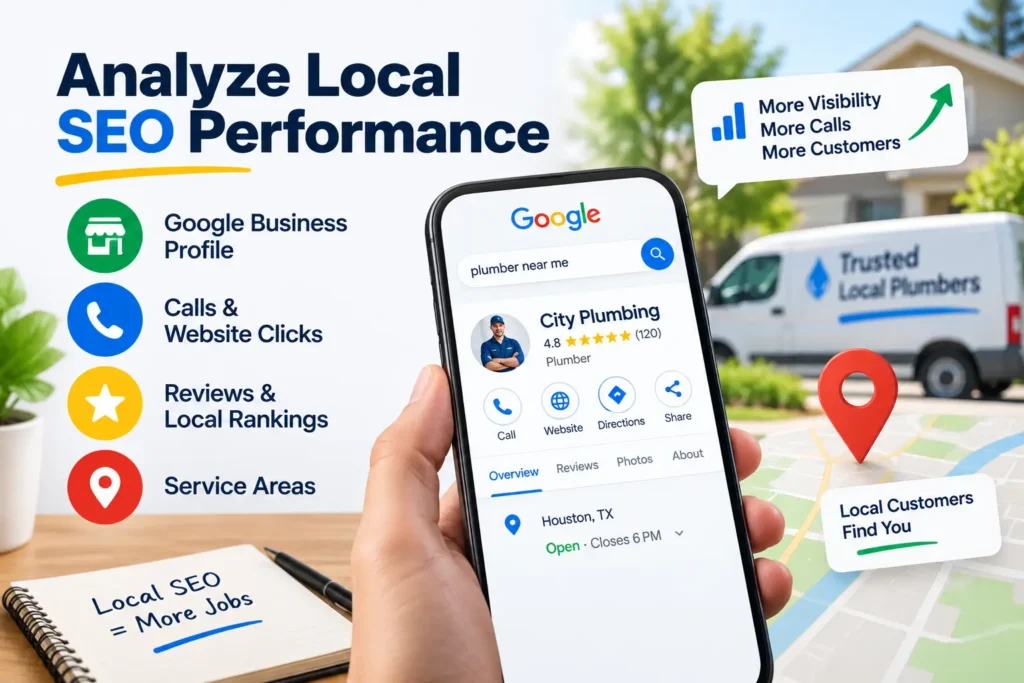
Step 7: Analyze Local SEO Performance
Local SEO is critical for home services.
A plumber in Houston and a cleaning company in Abu Dhabi do not need the same kind of search visibility as a national e-commerce website.
For local businesses, review:
- Google Business Profile visibility
- Search queries
- Calls
- Website clicks
- Directions
- Reviews
- Local rankings
- Location pages
- NAP consistency
- Local citations
- Service-area coverage
Google Business Profile performance includes metrics such as searches, views, calls, website clicks, messages, directions, and bookings where applicable.
U.S. Home Services Example
Imagine a pest control company serving Orlando.
The report might show:
- More searches for “termite control Orlando”
- More Google Business Profile views
- More calls
- Higher visibility for service + city searches
- A new termite service page
- Improved reviews
The report should connect these changes.
UAE Home Services Example
Now consider an AC maintenance company serving Dubai.
Customers may search for:
- AC maintenance Dubai
- AC repair Dubai
- split AC service Dubai
- central AC repair Dubai
- AC cleaning near me
The report should show whether the company is becoming more visible for these local searches and whether that visibility leads to calls, WhatsApp inquiries, or website leads.
Do not assume every interaction is a sale.
Track the available evidence and label estimates clearly.
Step 8: Review Technical SEO
Technical SEO is the foundation of the website.
Your report can include:
- Indexing issues
- Broken links
- Redirect errors
- Duplicate pages
- Canonical problems
- XML sitemap issues
- Robots.txt problems
- Mobile usability
- Page speed
- Core Web Vitals
- HTTPS
- Structured data
- Crawl issues
Do not dump a list of 100 technical errors into the executive summary.
Group them by importance.
For example:
High priority
- Important service page not indexed
- Broken booking page
- Incorrect canonical tag
Medium priority
- Duplicate title tags
- Missing image alt text
- Internal linking gaps
Low priority
- Minor metadata improvements
- Non-critical image optimization
This helps the client understand what should happen first.
Step 9: Report Content Performance
Content should have a purpose.
A home services company may publish articles such as:
- How much does a plumber cost?
- How often should an AC be serviced?
- How to know if you have termites
- When should you replace a water heater?
- How much does house cleaning cost in Dubai?
Track:
- Organic clicks
- Impressions
- Rankings
- Engagement
- Leads
- Internal links
- Assisted conversions
- New content published
For example, a “How much does AC repair cost in Dubai?” article may attract visitors who are still researching.
That page can then link naturally to the company’s AC repair service page.
This creates a useful path:
Question → Helpful answer → Service page → Contact → Lead
Step 10: Analyze Backlinks
Backlinks are links from other websites to your website.
A report can show:
- New backlinks
- Lost backlinks
- Referring domains
- Relevant industry links
- Local links
- Toxic or suspicious links requiring review
- Competitor link opportunities
Do not judge SEO health by backlink count alone.
One relevant local industry website can be more useful than many unrelated links.
For a roofing company in Phoenix, a link from a relevant local construction or home improvement organization may be more meaningful than dozens of random directory links.
Step 11: Compare Competitors
Competitor analysis helps explain missed opportunities.
Look for:
- Keywords competitors rank for
- Service pages they have
- Location pages they have
- Content gaps
- Backlink opportunities
- Google Business Profile visibility
- Review activity
- SERP features
Do not copy competitors word for word.
Instead, ask:
“What useful information are they providing that our client does not?”
That question usually leads to better SEO work.
Step 12: Write the Executive Summary Last
The executive summary should be short.
Write it after analyzing the full report.
A simple structure is:
What improved
Organic clicks increased 18%, and several service pages gained search visibility.
What needs attention
Traffic to informational content increased, but service-page leads remained flat.
What we did
We optimized three service pages, improved internal links, fixed indexing issues, and updated local content.
What comes next
We will improve conversion elements on high-traffic service pages and build local authority around priority services.
That is enough for most business owners.
Which SEO Metrics Should You Track?
The best SEO metrics depend on the business model.
The table below gives a practical starting point.
| Metric | What It Tells You | Priority |
|---|---|---|
| Organic clicks | Search traffic from Google | High |
| Organic impressions | Search visibility | High |
| CTR | Ability to earn clicks | High |
| Average position | Search ranking visibility | Medium |
| Organic users | Website visitors from search | High |
| Key events | Important actions | High |
| Leads | Business opportunities | Very high |
| Calls | Strong local-service signal | Very high |
| Google Business Profile actions | Local engagement | High |
| Keyword rankings | Visibility for target searches | Medium |
| Backlinks | External authority signals | Medium |
| Core Web Vitals | User experience signals | Medium |
| Indexed pages | Search accessibility | High |
| Engagement | Visitor behavior | Medium |
The key is to connect metrics.
For example:
Impressions → Clicks → Landing page → Call → Lead
That tells a much better story than five unrelated numbers.
How to Build a Client-Friendly SEO Report
A client should understand the report without needing an SEO dictionary.
Use plain English.
Instead of:
“Organic visibility experienced a positive SERP movement.”
Say:
“More of the website’s pages appeared higher in Google Search.”
Instead of:
“We optimized entity relationships and semantic relevance.”
Say:
“We improved the page so Google and customers could understand the service more clearly.”
Use a Simple Report Structure
A practical monthly SEO report can follow this order:
- Executive summary
- Goals
- Organic traffic
- Search Console performance
- Keyword rankings
- Local SEO
- Conversions and leads
- Technical SEO
- Content performance
- Backlinks
- Competitor insights
- Work completed
- Problems found
- Next month’s priorities
This structure works for agencies, freelancers, in-house marketers, and local businesses.
Common SEO Reporting Mistakes
Many SEO reports fail because they focus on numbers instead of decisions.
Here are common mistakes to avoid.
Reporting Traffic Without Leads
More visitors are not always better.
A service business needs relevant visitors who may become customers.
Showing Rankings Without Search Intent
Ranking #1 for a low-value keyword may not help the business.
A position report should explain whether the keywords match real customer needs.
Reporting Every Metric
A 40-page report full of charts can hide the important information.
Keep the main report focused.
Put detailed data in an appendix when needed.
Ignoring Local SEO
For plumbers, roofers, electricians, HVAC companies, cleaners, landscapers, locksmiths, and pest control businesses, local visibility can be central to lead generation.
Do not treat local SEO as a small footnote.
Making Claims Without Context
If leads increased, do not automatically say SEO caused every new lead.
Other factors may include:
- Paid advertising
- Seasonality
- Promotions
- Brand awareness
- Sales activity
- Weather
- Local events
- Offline marketing
Good reporting separates what the data shows from what you believe caused it.
SEO Report Checklist
Use this checklist before sending a report.
Data Checklist
- Reporting dates are correct
- Previous period is included
- Google Search Console data is checked
- GA4 data is checked
- Google Business Profile data is checked
- Conversion tracking is reviewed
- Keyword data is current
- Technical issues are reviewed
- Backlinks are checked
Analysis Checklist
- Biggest wins are identified
- Biggest problems are identified
- Traffic changes are explained
- Ranking changes are explained
- Lead changes are explained
- Local SEO changes are explained
- Important pages are identified
- Competitor opportunities are reviewed
Client Checklist
- Executive summary is easy to understand
- No unnecessary jargon
- Important numbers are easy to find
- Charts have clear labels
- Recommendations are specific
- Each recommendation has a reason
- Next steps have owners where possible
What Does a Good SEO Report Look Like?
A good SEO report tells a simple story.
For example:
“Organic clicks increased 24% this month. Most of the growth came from service pages targeting AC repair and AC maintenance in Dubai. Google Business Profile website clicks also increased. However, lead submissions stayed almost flat. Next month, we will improve calls-to-action and mobile contact options on the pages receiving the most search traffic.”
Notice what is missing.
There is no wall of SEO jargon.
The reader can see:
What happened → Why it matters → What needs work → What happens next
That is the purpose of an SEO report.
SEO Report Template
You can use this simple structure for a monthly report.
1. Executive Summary
- Main improvement
- Main decline
- Main SEO work completed
- Main opportunity
- Next priority
2. Organic Search
- Clicks
- Impressions
- CTR
- Average position
- Organic users
3. Keywords
- Top keywords
- Biggest improvements
- Biggest declines
- New ranking keywords
- Priority keywords
4. Local SEO
- Google Business Profile views
- Calls
- Website clicks
- Directions
- Local searches
- Reviews
- Local rankings
5. Website
- Top landing pages
- Leads
- Engagement
- Technical issues
- Conversion opportunities
6. Content
- New pages
- Updated pages
- Top content
- Content opportunities
7. Off-Page SEO
- New backlinks
- Lost backlinks
- Referring domains
- Local citations
8. Next Steps
List three to five clear actions.
Avoid writing 20 recommendations unless the client actually needs them.
Expert Tips for Better SEO Reporting
A few small changes can make reports much more useful.
Start With the Business Question
Ask:
“What does the owner want to know?”
The answer may be:
- Are we getting more leads?
- Are we ranking in our service area?
- Are people finding our emergency service?
- Why did traffic drop?
- Which services are growing?
- Which locations need more visibility?
Build the report around that question.
Show Trends, Not Just Snapshots
One month’s number can be misleading.
A three-, six-, or twelve-month trend often gives better context.
Google Search Console lets you adjust date ranges and analyze search performance over time.
Separate SEO Work From SEO Results
Keep two sections:
Work completed
- Updated 5 service pages
- Fixed 12 broken links
- Published 3 articles
- Improved internal linking
Results
- Organic clicks increased
- Service-page impressions increased
- Three target keywords improved
- More calls came through Google Business Profile
This makes the report easier to understand.
Explain Drops Honestly
SEO does not always move upward every month.
A traffic decline could come from:
- Seasonality
- Algorithm changes
- Competitor improvements
- Technical problems
- Search demand changes
- Tracking issues
- Lost rankings
- Content decay
Do not hide bad news.
Explain what happened and what you plan to investigate.
SEO Report Tools
You do not need dozens of tools.
A basic reporting setup can include:
- Google Search Console
- Google Analytics 4
- Google Business Profile
- Google Sheets or Excel
- An SEO crawler
- A keyword tracking platform
- A backlink analysis tool
Google Analytics’ Traffic acquisition report can be used to analyze where website visitors come from and how they behave after arriving.
For local businesses, Google Business Profile adds useful information about searches, views, calls, website clicks, and directions.
Frequently Asked Questions
What should an SEO report include?
An SEO report should include organic traffic, Search Console performance, keyword rankings, conversions, local SEO, technical SEO, content, backlinks, completed work, and clear next steps.
Is Google Analytics enough for an SEO report?
No. GA4 is useful for traffic and website behavior, but Search Console provides search-specific data such as queries, impressions, clicks, CTR, and average position.
Can an SEO report show leads?
Yes. If lead tracking is configured correctly, an SEO report can show actions such as forms, calls, bookings, or other key events and connect them with organic traffic.
Should local businesses include Google Business Profile data?
Yes. Local businesses should usually report relevant Google Business Profile activity, including searches, views, calls, website clicks, and directions.
Why does SEO traffic increase while leads decrease?
Traffic can increase without increasing leads when visitors are less relevant, landing pages have weak calls-to-action, service pages are not converting well, or tracking has changed.
When should an SEO report be sent?
Monthly reporting works well for many businesses because it gives enough time for meaningful changes while keeping SEO work accountable. Larger campaigns may also use weekly or quarterly reporting.
SEO Reporting for Home Services: USA vs. UAE
The basic reporting process is the same, but local search behavior and business goals can differ.
A U.S. plumber may focus heavily on city-level searches, emergency calls, service-area pages, and Google Maps visibility.
A UAE AC company may focus on searches such as “AC repair Dubai,” service-specific searches, mobile visitors, calls, WhatsApp inquiries, and multiple service areas.
| Area | USA Home Services | UAE Home Services |
|---|---|---|
| Common services | Plumbing, HVAC, roofing, electrical | AC, cleaning, pest control, plumbing |
| Search pattern | Service + city/state | Service + Dubai/Abu Dhabi/area |
| Local SEO | Google Maps and service areas | Google Maps and local service areas |
| Lead types | Calls, forms, bookings | Calls, forms, WhatsApp, bookings |
| Content | Cost guides, emergency services, repairs | Service guides, pricing questions, maintenance |
| Location targeting | Cities, suburbs, counties | Emirates, cities, communities |
| Key concern | Local lead generation | Local visibility and lead generation |
The important lesson is simple:
Do not use the same SEO report for every business.
Build the report around how customers actually find and contact that business.
Key Takeaways
A good SEO report should:
- Start with business goals.
- Show the most important numbers first.
- Compare results over time.
- Explain why numbers changed.
- Separate traffic from leads.
- Include local SEO for service-area businesses.
- Highlight problems that need attention.
- Show completed SEO work.
- Give specific next steps.
- Avoid meaningless metric overload.
For example, saying “organic traffic increased 32%” sounds useful.
But if leads fell by 20%, the business owner will want to know why.
That is why an SEO report should tell the story behind.
Final Verdict: Keep SEO Reports Simple and Useful
A good SEO report does not need to be complicated.
It needs to answer a few important questions:
What happened?
Why did it happen?
Did it help the business?
What should we do next?
For a U.S. plumber, that may mean more calls for emergency plumbing. For a Dubai cleaning company, it may mean more local searches, website visits, WhatsApp inquiries, or bookings.
Use Google Search Console to understand search visibility. Use GA4 to understand website behavior. Use Google Business Profile data for local performance. Then connect those numbers to leads and business goals.
That is how to create an SEO report that people actually use instead of simply opening, scrolling, and forgetting.
References:
For accurate reporting, rely on primary data whenever possible.
- Google Search Console Performance Report
- Google Analytics Traffic Acquisition Report
- Google Organic Search Traffic Report
- Google Business Profile Performance
- Google Analytics and Search Console Integration