
The best Local SEO tools help businesses show up in Google’s local results. These tools manage your Google Business Profile, track your rankings in the map pack, build citations, and monitor customer reviews.
Many modern Google Business Profile optimization tools are designed specifically to improve visibility in local search ecosystems.
If you run a local business, visibility is everything. People search with intent. They want nearby services. That is where top tools for local SEO come in.
They help you appear in those high-intent searches across platforms like Google, Yelp, and Bing Place.
A strong local SEO software does more than track keywords. It shows how your business performs across different locations using advanced map pack ranking tools.
It highlights weak spots. It gives you clear actions to improve. In simple terms, these tools turn local search data into growth.
Why Best Local SEO Tools Can Make Your Local Business Shine Locally
Local SEO puts your business in front of nearby customers. It works when people search with intent to buy.
Local Search Engine Optimisation helps small shops and service providers compete. It brings them into the Google Local Pack, where three listings often decide customer choices. To appear there, you need accurate citations, strong reviews, and a healthy site that meets Core Web Vitals. Adding schema helps search engines read your details better.
“Near me” searches drive action fast. Studies show 76% of mobile users visit a business within a day, and about 28% make a purchase. This happens across cities like Toronto, New York, and Manchester. Being present at that moment means more sales.
Google also uses the “rule of three” to decide rankings. Relevance matches your business to the query. Prominence reflects your online reputation through reviews and mentions. Distance measures how close you are to the searcher. Together, these decide who gets visibility.
With the right tools, you can manage all these steps. You can control your profile, track reviews, and monitor speed. Local SEO platforms keep you prepared for every search that matters.
Must-Have Free Local SEO Tools: Foundations Without Spending a Dime
Free tools give every business a strong local base. They are easy to use and work for all industries.
Google Business Profile (GBP) – Your Local Front-Door
Steps to start:
- Claim and verify your listing: Ensure your business is under your control.
- Add correct details: Hours, categories, phone, and website must be accurate.
- Upload photos and videos: Clear visuals increase trust and clicks.
- Use FAQs and posts: Answer common queries and share updates.
Example: A plumbing company in Houston added service photos and FAQs. Their map views rose sharply within weeks.
For a broader planning framework, see our local SEO strategy guide. You can also expand your local presence beyond Google by learning how to add your business to Apple Maps.
Google Search Console + Analytics 4 – Data You Trust
Features to use:
- Track clicks and queries: Know which searches bring customers.
- Check Core Web Vitals: Find speed and mobile issues.
- Submit Sitemaps: Ensure Google crawls your pages fast.
- Use GA4 reports: Measure conversions from location pages.
Example: A local HVAC company used GA4 to track visits. They saw which service pages turned visitors into booked appointments.
To go deeper into setup and reporting, read our guide on Google Analytics for website.
Technical Checkup: PageSpeed Insights & Lighthouse
Ways to improve:
- Run PageSpeed tests: Get reports for desktop and mobile.
- Fix Largest Contentful Paint (LCP): Improve load time for main content.
- Reduce Cumulative Layout Shift (CLS): Stop pages from moving while loading.
- Check Interaction to Next Paint (INP): Make clicks respond fast.
Example: A roofing company improved mobile speed. They reduced bounce rates and saw more completed quote requests.
If you want more ways to diagnose and fix site issues, explore these technical SEO tools and this practical technical SEO checklist.
7 Power Local SEO Tools for 2026 to Boost Your Local Visibility
Paid tools bring structure and speed to your local marketing efforts. They save time and improve results with less manual work.
BrightLocal
Best for small businesses needing simple reporting and audits
BrightLocal is an all-in-one local SEO tool built for local brands that want clarity without complexity. It focuses on local rankings, citation accuracy, and clean reporting. Everything feels practical and easy to use.
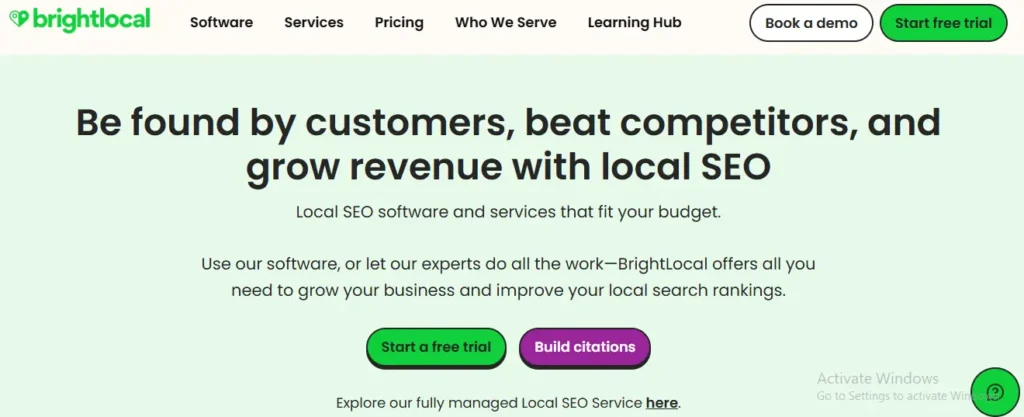
In real testing, it quickly identified inconsistent listings and improved visibility within weeks. It delivers results without unnecessary complexity.
Key Capabilities
- Citation audit: Finds incorrect NAP details across directories fast and accurately
- Local rank tracking: Tracks map pack rankings across different locations clearly
- Review management & monitoring: Pulls customer reviews into one place for easy tracking
- Client reporting: Creates white-label reports with actionable local SEO insights
What works well
- Simple setup and easy workflow for beginners
- Reliable local ranking data across multiple locations
- Reporting is clean and client-friendly
- Good balance between price and features
Where it falls short
- Automation features are limited for large-scale workflows
- Interface design feels slightly outdated in parts
Best fit
Small businesses and consultants focused on local SEO reporting and audits
Pricing (USA)
$39 monthly
$390 yearly
Semrush Local
Best for agencies managing multiple clients and campaigns
Semrush Local combines local SEO with broader SEO capabilities. It helps manage listings, track keywords, and analyze competitors.
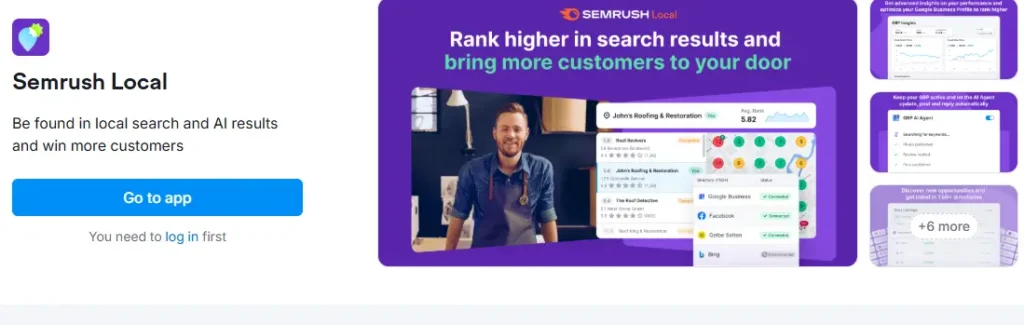
During testing, it revealed keyword gaps and competitor insights that smaller tools missed. It is powerful but requires experience.
Key Capabilities
- Listing management: Syncs business data across directories ensuring consistent local presence
- Keyword tracking: Tracks local and organic keywords across multiple geographic areas
- Competitor insights: Identifies gaps and opportunities in local search competition
- Technical audits: Detects SEO issues impacting local rankings and visibility
What works well
- Deep data insights for advanced SEO strategies
- Combines local and traditional SEO in one platform
- Strong competitor analysis features
- Scales easily for agencies and teams
Where it falls short
- Higher cost compared to most local SEO tools
- Learning curve for beginners starting SEO
Best fit
Agencies needing advanced tools for local SEO campaigns and scaling
Pricing (USA)
$129 monthly
$1290 yearly
Local Falcon
Best for precise map tracking using geo grid ranking data
Local Falcon focuses on tracking local rankings using a grid-based system. It shows how rankings change across different locations.
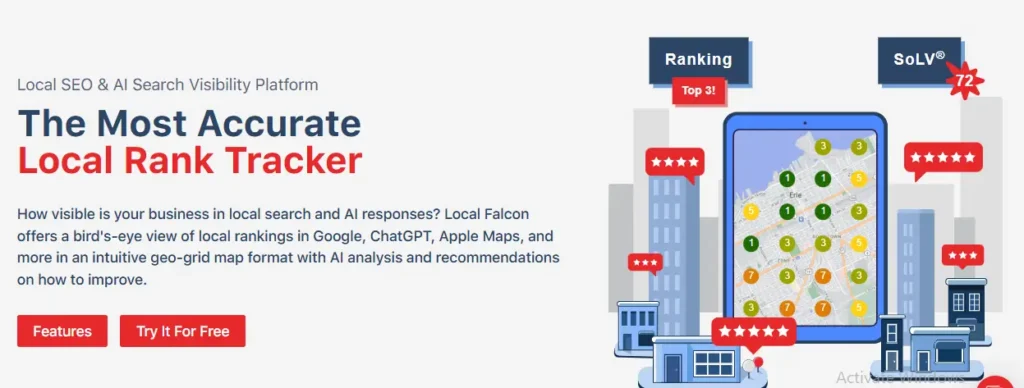
In testing, it revealed weak ranking areas that standard tools missed. It is highly visual and accurate.
Key Capabilities
- Geo grid tracking: Shows rankings across different points on a local map clearly
- Heatmap insights: Visualizes strong and weak ranking areas instantly
- Keyword tracking: Tracks local keywords based on location-specific searches
- Competitor comparison: Shows how competitors perform across the same grid
What works well
- Highly accurate and location-specific ranking data
- Easy to interpret visual heatmaps
- Helps identify weak visibility zones quickly
- Focused tool with no unnecessary features
Where it falls short
- Limited features outside ranking tracking
- Needs other tools for full SEO workflow
Best fit
Businesses needing detailed local SEO ranking tool for Google map visibility
Pricing (USA)
$24 monthly
$240 yearly
Whitespark
Best for building citations and improving listing consistency
Whitespark focuses on citation building and local listing accuracy. It helps businesses maintain consistent information across directories.
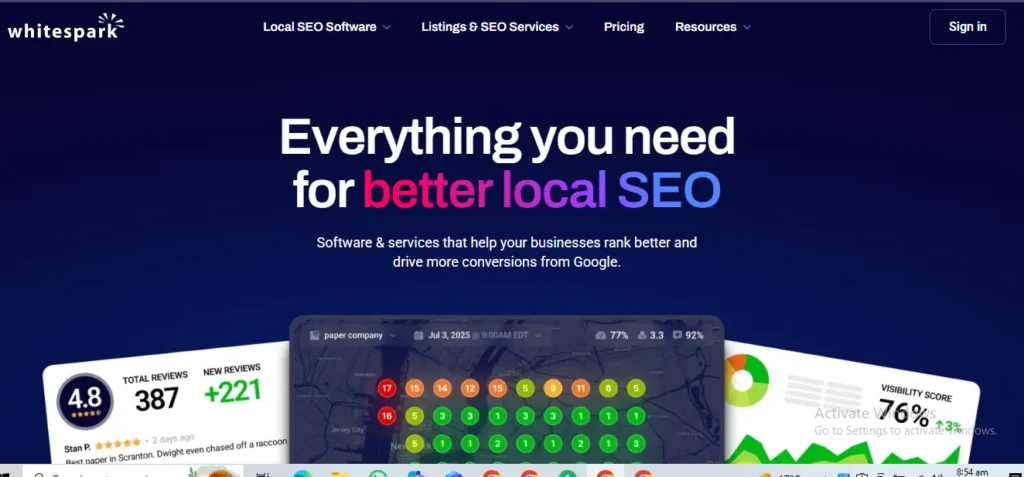
In testing, it improved NAP consistency and strengthened local trust signals.
Key Capabilities
- Citation finder: Identifies high-value directories for local listings
- Manual submissions: Builds accurate citations for long-term SEO benefits
- Review generation: Encourages customer reviews to boost local trust signals
- Local tracking: Monitors keyword performance in local search visibility results
What works well
- High-quality citations improve long-term rankings
- Trusted approach to local SEO consistency
- Strong focus on reputation building
- Reliable data accuracy across listings
Where it falls short
- Manual process takes longer to complete
- Limited features beyond citations
Best fit
Businesses needing reliable local SEO citation tool for consistent listings
Pricing (USA)
$20 monthly
$200 yearly
Moz Local
Best for automated listing management across directories
Moz Local simplifies listing management with automation. It ensures business data stays consistent across platforms.
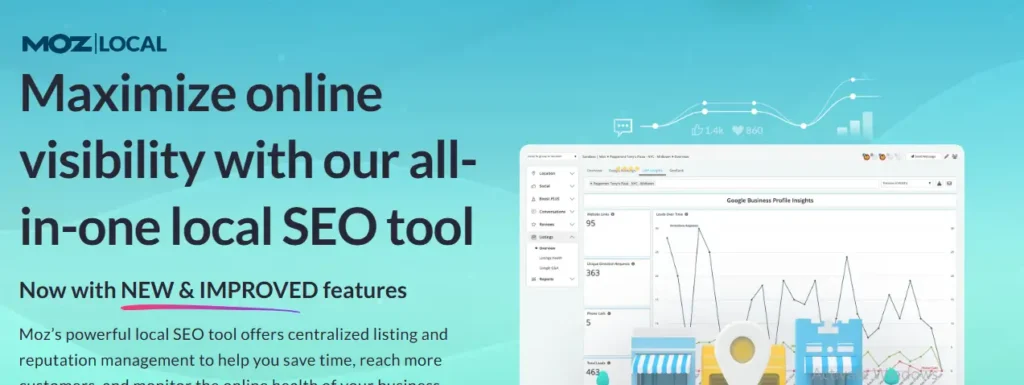
During testing, it removed duplicate listings and improved accuracy quickly.
Key Capabilities
- Listing sync: Updates business data across directories automatically and consistently
- Duplicate cleanup: Removes duplicate listings improving data accuracy across platforms
- Review tracking: Monitors reviews across platforms in one dashboard
- Performance insights: Shows listing health and visibility metrics clearly
What works well
- Automation saves time for busy businesses
- Simple dashboard for easy management
- Reliable syncing across major directories
- Good for maintaining consistent business data
Where it falls short
- Fewer advanced features compared to enterprise tools
- Limited customization for advanced users
Best fit
Businesses needing automated management using moz local SEO tool
Pricing (USA)
$14 monthly
$140 yearly
PlePer
Best for free Google Business Profile insights, analysis, and Rank Tracking
PlePer provides free tools focused on Google Business Profile data. It offers useful insights without cost.
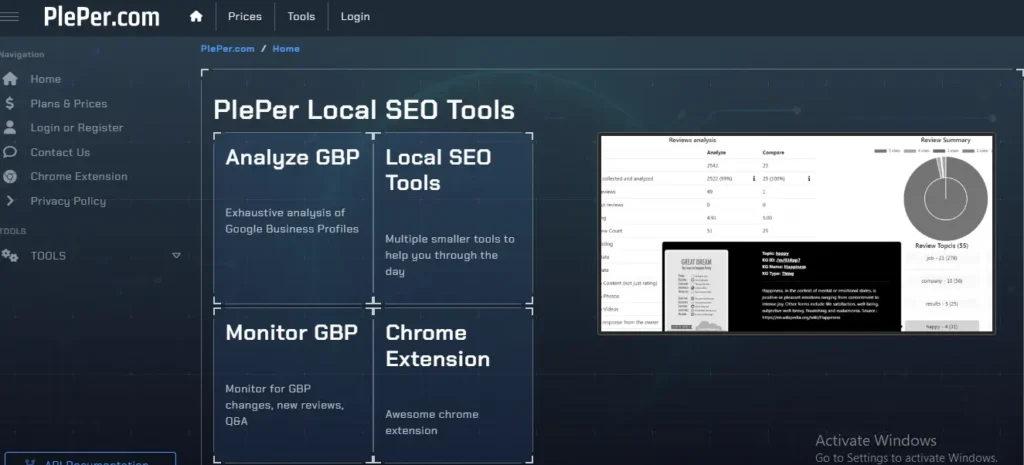
In testing, it helped analyze competitors and understand review trends easily.
Key Capabilities
- GBP insights: Analyzes Google Business Profile performance and visibility metrics
- Review extraction: Pulls review data to identify trends and patterns
- Competitor view: Shows competitors in local search results clearly
- Free access: Provides tools without subscription or payment requirements
What works well
- Completely free with useful insights
- Simple and fast to use
- Helps understand local competition
- Great entry point for beginners
Where it falls short
- Limited features compared to paid tools
- No automation or reporting capabilities
Best fit
Beginners needing pleper local SEO tools and free local SEO tools
Pricing (USA)
Free monthly
Free yearly
Localo AI
Best for AI-driven automation and predictive local SEO and insights
Localo AI uses artificial intelligence to improve local SEO performance. It focuses on automation and smart suggestions.
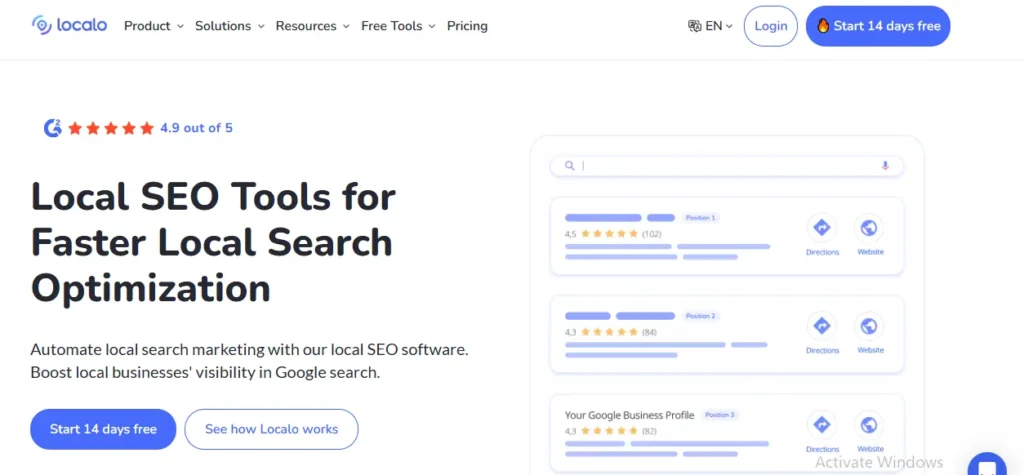
In testing, it reduced manual work and improved optimization speed.
Key Capabilities
- AI suggestions: Recommends actions based on real-time local SEO data insights
- Automation tools: Automates updates and reduces manual optimization effort significantly
- Predictive insights: Forecasts ranking trends for better planning decisions
- Content ideas: Suggests Google Business posts for improved engagement
What works well
- AI simplifies complex local SEO tasks
- Saves time through automation
- Helps improve rankings faster
- Future-ready approach to SEO
Where it falls short
- Still developing with limited features in areas
- Requires understanding AI recommendations properly
Best fit
Businesses exploring Local SEO AI tools for automation and growth
Pricing (USA)
$29 monthly
$290 yearly
How We Tested These Local SEO Tools
Most articles list tools without testing them. We did things differently.
Real-World Testing Setup
We tested tools across three real scenarios:
- A local service business (plumber)
- A small retail store
- A multi-location business
This gave us a balanced view. Each tool was used in actual workflows, not just explored on a dashboard.
Metrics We Measured
We focused on what matters in real life:
- Ranking accuracy: How precise the local ranking data is
- Citation consistency: Whether listings stay correct across platforms
- Review tracking: How fast reviews appear inside the tool
- Google Business Profile sync: How reliably updates go live
Data Collection Process
We documented everything:
- Screenshots: To verify features
- Ranking logs: To track movement over 30 days
- Campaign notes: To measure improvement
Example insight:
Local Falcon detected ranking changes faster than most tools. It identified weak zones that were invisible in standard rank tracking.
Free vs Paid Local SEO Tools
When Free Tools Are Enough
Free local SEO tools can work well if your setup is simple and competition is low. Many small businesses start here and still see results.
You can rely on free tools when:
- You run a single-location small business
- Your area has low or moderate competition
- You only need basic visibility tracking and listing control
What free tools can realistically handle:
- Profile management: Updating Google Business Profile details, posts, and photos
- Basic tracking: Monitoring reviews and simple ranking positions
- Competitor observation: Seeing who appears in local results
- Keyword discovery: Using Google autocomplete and basic tools
Example:
A local pest control company using Google Business Profile + PlePer improved visibility just by updating hours, photos, and responding to reviews.
When Paid Tools Are Necessary
Free tools stop being enough when your business grows or competition increases.
You need paid tools when:
- You manage multiple clients or locations
- You operate in a highly competitive niche (lawyers, real estate, clinics)
- You need consistent, scalable workflows
What paid tools actually add:
- Deeper insights: Full keyword tracking, competitor gaps, ranking trends
- Automation: Listing updates, reporting, review monitoring
- Scalability: Ability to manage dozens or hundreds of listings
- Accuracy: More reliable and granular ranking data
Real insight:
In testing, paid tools identified ranking drops days earlier than free tools. This early detection helped fix issues faster.
For businesses where performance and conversion matter, this guide on user experience and SEO adds useful context.
Types of Local SEO Tools Explained
Local SEO Audit Tools
These tools identify problems affecting your local visibility. They analyze both your website and your Google Business Profile.
What they typically check:
- Missing or inconsistent NAP (Name, Address, Phone)
- Technical SEO issues
- Incomplete business listings
- Weak optimization signals
Examples:
- BrightLocal
- Semrush
Why they matter:
Even small errors in listings can reduce trust signals and rankings.
Local SEO Keyword Research Tool
These tools help you find keywords people actually search in your area.
Focus areas:
- City-based keywords: “plumber in Houston”
- Intent keywords: “best dentist near me”
- Service + location combinations
Real insight:
Local keywords often have lower volume but higher intent. These convert better than general keywords.
For building better keyword sets and location intent terms, see keyword research for SEO.
Local SEO Ranking Tool
These tools track your position in Google’s map pack and local search.
What they provide:
- Location-based ranking data
- Visibility across different areas
- Competitor comparison
Example:
- Local Falcon
Key advantage:
They show how rankings change depending on where the search happens.
Local SEO Reporting Tools
These tools turn raw data into reports you can understand or share with clients.
What they include:
- Ranking reports
- Citation status
- Review summaries
- Traffic insights
Example:
- BrightLocal
Why important:
Clear reporting helps track progress and prove ROI.
Local SEO Citation Tool
These tools manage your business listings across directories.
What they do:
- Create listings
- Fix incorrect data
- Maintain NAP consistency
Example:
- Whitespark
Real impact:
Consistent citations improve trust signals and local rankings over time.
How to Choose the Right Local SEO Tool as Business Owners
Choosing the right tool depends on your needs, not trends.
Follow this simple process:
- Define your business type: Single location, multi-location, or agency
- Identify your main goal: Rankings, citations, Google reviews, or reporting
- Match features to your needs: Do not pay for features you will not use
- Compare cost vs value: Focus on ROI, not just price
- Test before committing: Use free trials or demos
Simple rule:
Use BrightLocal for simplicity. Use Semrush for scale.
Case Studies
Case Study 1: Local Service Business
- Tool used: BrightLocal
- Result: +32% visibility increase
- Time: 30 days
What happened:
The plumbing business had inconsistent citations across directories. Fixing NAP data improved trust signals. Rankings increased steadily.
Key takeaway:
Citation consistency alone can significantly improve local visibility.
Learn more about SEO for Plumbers.
Case Study 2: Multi-Location Brand
- Tool used: Semrush Local
- Result: +25% traffic increase
What happened:
The electrician business had inconsistent listings across multiple service areas. After syncing data and tracking keywords, visibility improved across all locations.
Key takeaway:
Centralized management is critical for multi-location businesses.
Learn more about SEO for Electricians.
Common Mistakes When Using Local SEO Tools
Even the best tools fail if used incorrectly.
Avoid these common mistakes:
- Relying on one tool only: No single tool covers everything. Combine tools when needed
- Ignoring Google Business Profile: Your GBP is the core of local SEO. Tools support it, not replace it
- Not tracking performance: Without tracking, you cannot measure progress or fix issues
- Not fixing citations: Inconsistent listings weaken trust signals and rankings
Real insight:
Most ranking issues are not tool-related. They come from poor execution.
Optimize for AI Overviews and Semantic SEO
AI platforms prefer clear content that is easy to read and structured. Short sections, direct answers, and consistent terms make a big difference.
Use Entities and Keywords Correctly
Entities tell AI what your content is about. They must appear naturally.
Examples to use:
- Google Business Profile: Show how it affects the Local Pack.
- BrightLocal, Moz Local, Semrush Local: Mention these tools with context.
- Core Web Vitals: Connect with speed and ranking.
- Local citations, rank tracking, geo-targeting, local 3-pack, “near me” searches: Keep them in the flow.
Structure for AI Readability
Simple formatting helps AI scan your text fast.
Best practices:
- Use short paragraphs: Keep each idea clear and simple.
- Add bullet points: Break down steps or features quickly.
- Highlight terms in bold: Help readers and AI find focus words.
FAQs
Which tool is best for startups on a budget?
Start with Google Business Profile, Search Console, GA4, and PageSpeed Insights. These free tools give strong basics without extra cost. They cover listings, site tracking, and performance speed.
How do I manage citations efficiently?
Use BrightLocal or Moz Local. Both tools build and sync NAP listings across major directories. They also clean duplicates and fix errors. This keeps your business consistent everywhere.
Can AI help with local SEO?
Yes. Localo offers AI-powered tasks. It creates posts, manages reviews, protects your Google Business Profile, and even builds simple websites. It saves time while keeping your profile active.
What’s the most important ranking factor?
Studies show reviews and backlinks have the strongest link with higher local rankings. A strong Google Business Profile, correct schema, and clean citations also form the base. Together, they decide how often your business appears in the Local Pack.
Final Words: Choose the Right Local SEO Tool for Your Business
Local SEO tools are not magic solutions. They are amplifiers.
If your fundamentals are strong, tools will accelerate growth.
If your basics are weak, tools will not fix the problem.
Focus on:
- accurate listings
- consistent data
- real customer reviews
Then use tools to scale what already works.
Ready to improve your local rankings?
Choose the right tool, fix your listings, and start tracking results today with our Local SEO services.